
“An AI assistant that remembers everything” is a search with a simple wish behind it: stop re-explaining yourself. Who you are, how you like things done, what was decided last month, what the deploy procedure is.
The products that claim it keep very different things. This post says what each one actually stores, where you can see it, and what it is good for. Agent memory in the glossary has the vocabulary; this is the field guide.
Disclosure: TODO for AI is ours. We build a memory system and benchmark it in public; that post has the numbers and the caveats.
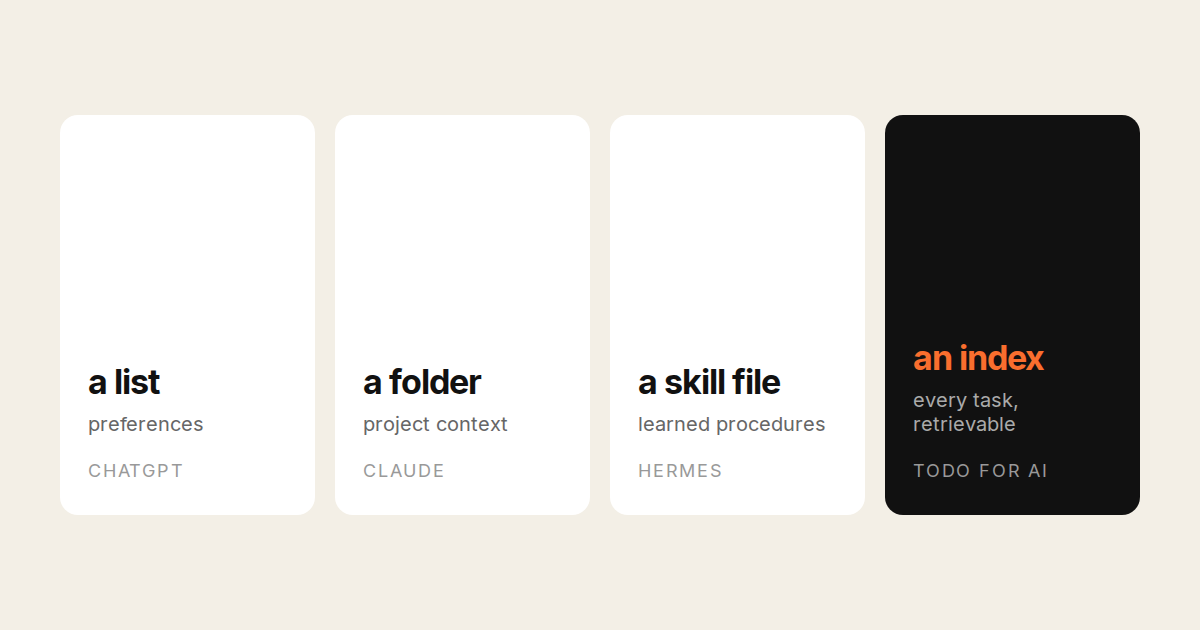
Four kinds of “remembers”
Preferences. A short list of facts about you, extracted from chats: name, job, tone you like, projects you mention. Small, editable, injected into every conversation. Cheap and useful. Forgets everything that did not look like a fact about you.
Project context. Files and instructions you attach to a workspace, plus what happened in that workspace. Remembers the project, not you across projects.
Learned procedures. The agent writes down how it did a task and reuses the note next time. Remembers how, improves with use, and is only as good as what it wrote.
Everything, retrievable. Every past task and message indexed, with a retrieval step that pulls the relevant slice under a token budget when a new task starts. Remembers what was decided, when, and what superseded it. Expensive to build well; the only kind that answers “what did we decide about X in August”.
Most products do the first two. Two on this list do the last two.
The products
ChatGPT
Preferences plus chat history reference. “Memory” is a list you can read and delete in settings; saved memories are facts about you and your preferences. Reference chat history lets it pull from earlier conversations. Good for tone and personal facts. Not a record of work done, and nothing outside the chat is remembered.
Claude
Preferences, project context, and Cowork’s session state. Projects hold files and instructions per workspace; memory summarises across chats on paid plans. Claude Code adds CLAUDE.md files in the repo, which is project context you write yourself and the most reliable kind of memory on this list precisely because it is a file you control.
Hermes Agent
Learned procedures, done seriously. Hermes writes skills from tasks it completes, refines them on the next run, and keeps a layered memory with session search and user modelling. Self-hosted, so the memory is on your disk and yours to inspect. The best “gets better with use” story here. It is a chat-thread agent, so what it remembers is what happened in threads. Comparison.
TODO for AI
Everything, retrievable. Every past task and message is indexed and searchable by the agent with fused lexical and semantic retrieval. Separately, in private conversations, a token-budgeted live-memory block brings a distilled selection into the prompt at the start of a task. And there is a notes-and-procedures layer the agent can write to, addressed by source and ref, so “deploy procedure” and “decided: no dashes in public copy” are durable facts rather than lucky retrievals.
The retrieval engine is open source as livemem: 94.7% on LoCoMo at 5.0K context tokens per question, with the answerer, judge and context budget published because they move the score more than the memory does. Multi-hop is the weak category at 81.2%.
Where it is weaker: notes and live memory are per user, not a shared team pool; task-history search covers the projects you can access, with private tasks excluded. Retrieval is only as good as what was written down; a decision made in a voice call the agent was not on is not in there. And a saturated benchmark is not a guarantee about your data.
Side by side
| Preferences | Project context | Learned procedures | Every past task, retrievable | Where it lives | |
|---|---|---|---|---|---|
| ChatGPT | Yes, editable list | Projects | No | Chat history reference | OpenAI |
| Claude | Yes | Projects, CLAUDE.md | No | No | Anthropic, your repo |
| Hermes Agent | Yes | Per thread | Yes, self-written skills | Session search | Your disk |
| TODO for AI | Yes, notes layer | Per project | Notes and procedures | Yes, searchable history | Your account, open engine |
How to check what an assistant remembers
Three tests, one minute each.
- Tell it a preference, start a new session, see if it holds. Every product on the list passes this.
- Make a decision in one task, ask about it three tasks later. Preferences-only products fail; this is where retrieval starts to matter.
- Change the decision, then ask which one is current. The hard one. Conflicting updates are what the benchmarks do not stress and what real work is made of. If it answers with the old decision, the memory is a pile, not a record.
Run the third test before you trust any of them with a long-running project, ours included.