
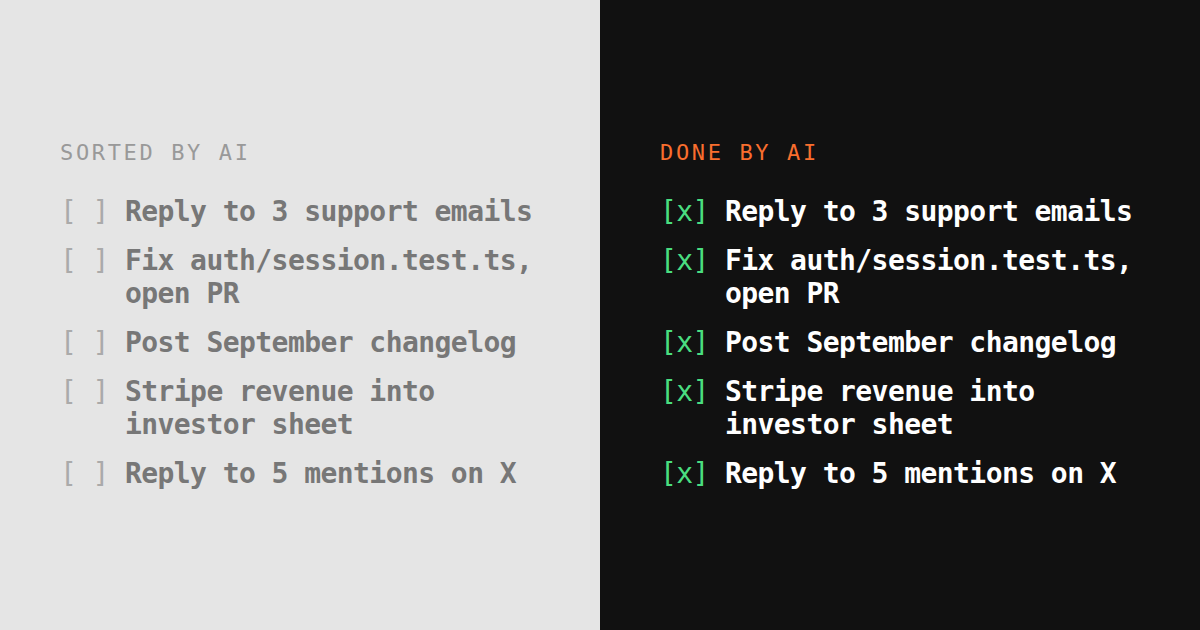
The AI to-do list apps that rank today all do the same thing: take your list and reorder it. Priority, time blocking, natural-language entry. The list is smarter. It is still your list to do.
This post is about the other thing. A to-do list where you add an item and it gets done.
What “does the task” means
A concrete test. Add these five items and see how many are closed by the tool without you touching them:
- Reply to the three unanswered support emails from this week.
- Fix the failing test in
auth/session.test.tsand open a PR. - Write the September changelog from the merged PRs and post it to the blog.
- Pull last month’s Stripe revenue into the investor update sheet.
- Reply to the five people who tagged us on X yesterday.
An organizer scores zero: it can schedule the five into your calendar. Zapier-style automation closes only the items you built a flow for beforehand. A chat assistant drafts; with agent mode it can browse, but the repo and the sheet on your disk are out of reach.
For the tool to score five it needs, at minimum:
- Your logins. Support inbox, GitHub, the blog CMS, Stripe, X. Not an API key for each; your actual sessions.
- A machine. Somewhere to clone the repo, run the tests, keep the files between tasks.
- A browser it can drive. The ad manager, the CMS admin and the supplier portal have no API.
- Permission to act, with a way for you to say “ask first” on the risky ones.
That is the checklist. Everything else on the page is how TODO for AI meets it, and where it does not.
How TODO for AI does it
The list is the interface: each TODO becomes a task for an agent, with its own chat where it reports back. What it can reach depends on what you connect:
- Your browser. The Chrome extension works in the tabs you attach and the tabs it opens, so it inherits your Gmail, X, Stripe and CMS sessions. How that works and what it can reach is in its own post.
- A machine. A cloud VM per account, or your own computer via the bridge, so it can clone the repo and run the tests.
- Any model. Claude, GPT, Gemini, Grok or Ollama per task, on one plan.
- Tool permissions. Per tool: allow, ask first, or block. Any run can be stopped. Secrets live in an encrypted vault.
Against the five-item test: the extension covers 1, 3 and 5; a paired machine or the cloud VM with the repo covers 2; 4 needs Stripe open in an attached tab or the Stripe CLI logged in from the vault.
Where it stops
It is not zero setup. You install the extension, attach the tabs it may use, and pair a machine if you want it in a repo. That is the price of the agent working where you work instead of in a sandbox with nothing in it.
“Ask first” is a tool-level gate, not a policy engine. It stops before a shell command or a browser action, not before “a refund over $200”. Money-touching actions like charging or cancelling are always prepared by the agent and approved by you; for anything softer, say “draft and wait” in the TODO.
Proposals need a source. It proposes TODOs from your business once it has something to read: your site, an inbox it has a tab for, a repo it is paired with. Nothing is proposed from a source it has not been connected to.
Compared to what ranks for “AI to-do list”
| Todoist, Motion | Lindy | ChatGPT (agent mode) | TODO for AI | |
|---|---|---|---|---|
| Sorts and schedules the list | Yes | No | No | Yes |
| Does the items | No | The ones you built a workflow for | Browser tasks in its cloud | Yes |
| Uses your logged-in browser | No | No | No, its own | Yes, attached tabs via Chrome extension |
| Runs on your machine or a persistent VM | No | Cloud only | No | Both |
| Model choice | n/a | Vendor pick | One vendor | Every vendor, one plan |
| From | Free | $30/mo | Free, agent mode on Plus $20/mo | Free, then $20/mo |
Todoist and Motion are good at what they do. If your problem is knowing what to do next, buy one of them. If your problem is that the list is correct and still nothing on it gets done, that is the problem this was built for. Which agent fits which job is scored on the founders guide.
Try the five-item test
todofor.ai is free to start, no signup, $2 of usage included. Paste your own five items. If it closes fewer than three, tell us which ones and why; that is the roadmap.