

How to use
Configuring Agent
Your AI agent can be customized to work exactly how you need it to. Configuration is done through the agent settings panel, accessible from the main interface.
Accessing Agent Settings
Click the Agent button in your dashboard to open the configuration panel:
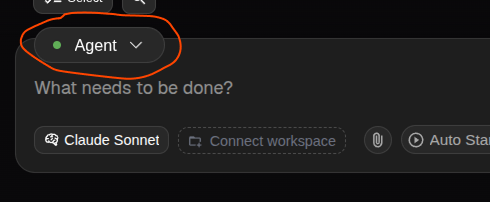
Agent Configuration Overview
The agent settings panel provides comprehensive control over your AI assistant:
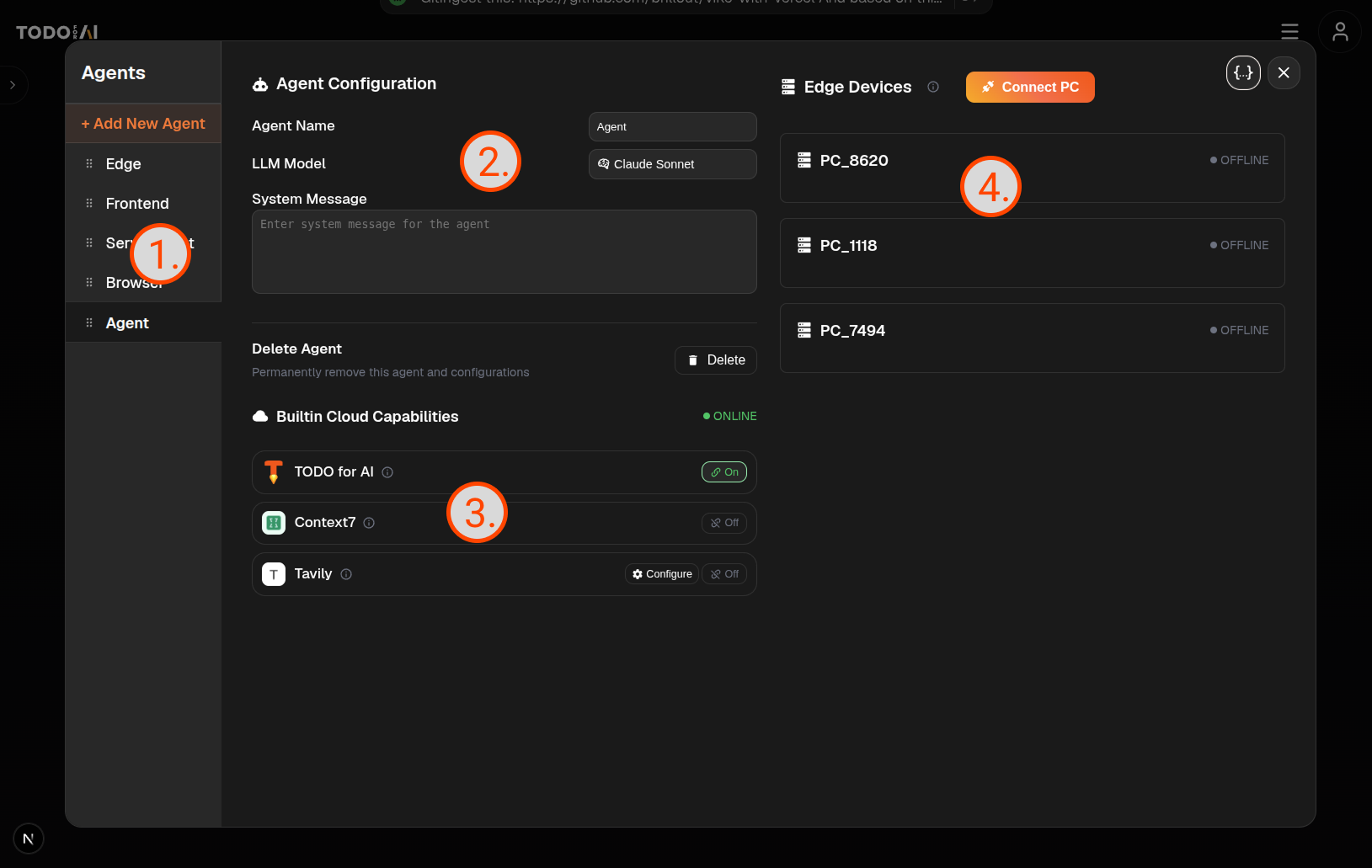
1. Agent Management
- Agent List: View and switch between multiple agents
- Create New Agents: Set up specialized agents for different tasks
2. Core Settings
- Choose Name: Set a custom name for your agent
- System Prompt: Define your agent's personality, behavior or mission
- AI Model Selection: Choose the best model for your needs
3. Cloud Capabilities
- Builtin capabilities: TODOforAI's custom capabilities
- Standard capabilities: using public available MCP servers (for now there are limited amount of mcps are available)
4. Edge Device Management
- Local Computer Access: Connect your PC through Edge Agent for direct system integration
- File System Permissions: Control and manage local file access permissions
- System Commands: Enable terminal and system-level operations for advanced functionality
- Web Browsing: Access and interact with websites through the agent
- MCP Integration: Use our curated list of MCP (Model Context Protocol) servers, or add custom MCPs to extend capabilities
Overview
Equip your agent with skills and data accesses, then it handles the task that is solvable with the datasources and the tools it has.
Last modified on