
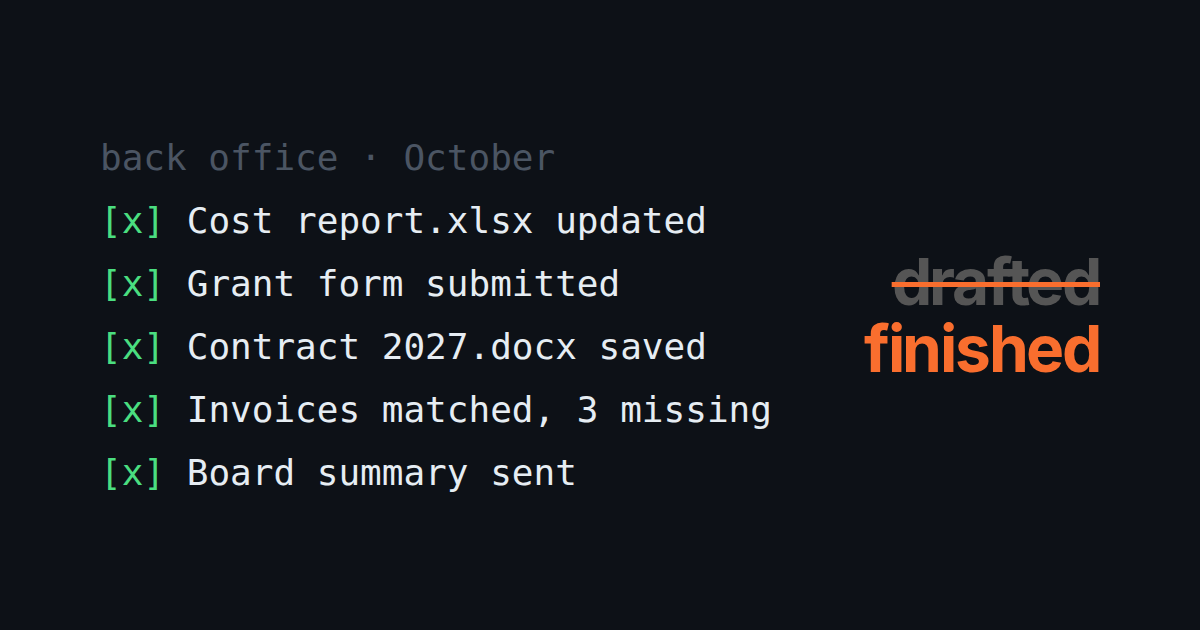
Back-office work is the part of a small business nobody hired for. It includes the monthly cost report, the grant application form on a government portal, the contract that is 90% last year’s contract, invoices to match against the bank export, and the donor summary the board wants on Friday.
Most AI tools help with this. You paste in the numbers and get a formula, or you describe the contract and get a draft. The work is still yours: you open the file, copy the result in, fill in the portal, and send it.
This post compares tools on the other question: which ones finish the job? They open the actual spreadsheet, fill in the actual form, and put the finished file where it belongs, so what comes back to you is something to check rather than a draft to finish.
Disclosure: TODO for AI is ours. The small-business back office is what our paying teams use it for most, which is why we wrote this. Its limits are listed below.
The test
Five tasks a real small-business back office does every month. For each tool we asked what it can actually reach. This is a check of what each tool can reach, based on each vendor’s documentation, not a benchmark we ran on all six.
- Cost report. Take last month’s bank export (CSV), categorise the costs, and update the Excel report that has the same layout every month.
- Grant or tender form. Fill in an application on a government or foundation web portal, behind a login, from documents in a folder.
- Contract. Produce this year’s contract from last year’s Word file with new names, dates and amounts, and save it for signing.
- Invoices. Match the month’s invoices against payments and list what is missing.
- Summary for the board. A one-page report with the numbers from 1 and 4, sent by email.
The short answer
| If your back office lives in | Pick |
|---|---|
| Several tools, portals and files, and a team shares the work | TODO for AI |
| Microsoft 365 only | Copilot Cowork |
| Folders of documents, with one person delegating | Claude (Cowork) |
| ChatGPT, which the team already pays for | ChatGPT Work |
| Google Workspace | Gemini in Workspace |
| One repeatable process, the same every week | Lindy |
1. TODO for AI: best for finishing back-office work across tools
A to-do list for the business where the items get done by AI. You write “update the October cost report from the bank export” on the board. An agent opens the files, does it, and attaches the result to the card, with a log of what it did.
What makes it finish rather than draft:
- It works on the real files. It reads and writes Excel and Word files directly (
.xlsx,.docx), on your PC through a small bridge or on its cloud VM. The report comes back as the report, not as a formula to paste. - It works in your logged-in browser. A Chrome extension drives the tabs you attach, so the grant portal, the bank’s web interface, the accounting tool and Outlook on the web are reachable without an API. Task 2, the one most tools cannot do, is a browser task.
- The team sees the work. The board is shared, so the bookkeeper can see what the AI filed and check it before anything is submitted in the organisation’s name. Per tool you set allow, ask first or block.
- One price for the team. Seats go into one shared pool, and every model is included.
Evidence: our largest paying customer is a nonprofit on the Team plan. What they use it for is exactly this list: spreadsheets, donation and cost reports, grant forms, contracts and bookkeeping. It is one customer, not a study, but it is the job the product is paid to do. (We don’t name customers without their written OK.)
Where it is weaker: it is not accounting software, so it will not replace your bookkeeping system or file your taxes. Browser tasks need Chrome running. The permissions are per tool, not per amount, so “ask before any payment over €500” is not something it understands. Set ask-first on anything that submits or pays. Setup takes an extension install, and the bridge if the files live on your PC.
Against the test: all five, if the portal is open in an attached tab and the files are on a connected machine or uploaded.
2. Copilot Cowork: best if the back office is all Microsoft 365
It works inside Excel, Word, Outlook, Teams and SharePoint, with the permissions IT already set up. Tasks 1, 3 and 5 are exactly what it is built for. Task 4 works if the invoices and payments are in Microsoft 365 files. Task 2 needs the web portal, and browsing is a preview through Edge in Microsoft’s Frontier program. It needs a Copilot license ($18 per user yearly on a promotion until the end of 2026), then Copilot Credits per task. Comparison.
3. Claude, with Cowork: best document quality
Give it a folder and an outcome, and it returns spreadsheets with working formulas and well-structured documents. Claude in Chrome can fill in logged-in portals on every paid plan. It is strong on 1, 3, 4 and 5, and can do 2 while you are there. It runs in Anthropic’s sandbox with the folders you grant, it is built around one person’s sessions, and it uses Anthropic models only. From $20. Comparison.
4. ChatGPT Work: best if you already pay for ChatGPT
OpenAI’s agent for “finished deliverables”: sheets, slides and docs, plus scheduled tasks. On desktop it can use local files and apps. Its cloud browser signs in to sites in its own session rather than using yours. It is good on 1, 3 and 5. From $20, or Business at $25 per seat.
5. Gemini in Google Workspace: best if the office is on Google
Gemini is in Sheets, Docs and Gmail from Business Standard (€13.60 per user, yearly), and Workspace Studio builds simple agents in plain English. It is strong inside Google’s apps and cannot reach the portal or the accounting tool outside them.
6. Lindy: best for the one process you repeat every week
If invoices arrive by email and always go through the same steps, Lindy builds that flow once and runs it every time. It is weak on the monthly one-off: a new grant form, this year’s contract. From $30 for 3,000 credits. Comparison.
Side by side
| Cost report in Excel | Grant form on a portal | Contract in Word | Team sees the work | From | |
|---|---|---|---|---|---|
| TODO for AI | Yes, the real file | Yes, your browser | Yes, the real file | One shared board | Free, $20 |
| Copilot Cowork | Yes | Edge, preview | Yes | Per user | $18 + credits |
| Claude (Cowork) | Yes | Claude in Chrome | Yes | Projects shared on Team | $20 |
| ChatGPT Work | Yes | Cloud browser, sign in there | Yes | Shared scheduled tasks | $20 |
| Gemini in Workspace | In Sheets | No | In Docs | Workspace sharing | €13.60 |
| Lindy | If you build the flow | Computer use | If you build the flow | Shared workflows | $30 |
How to choose
Where does the back office live? If the answer is “Excel and Outlook, full stop”, Copilot Cowork is the least work to roll out. If it’s Google, use Gemini. If the answer is “Excel, a bank portal, a government site, the accounting tool and someone’s inbox”, you need something that works in your browser and on your files, and that list is short.
Who checks the work? In a small office the person who used to do the task becomes the person who checks it. That works best when the AI’s work sits on the same list as theirs, not in someone else’s chat history.
Try it on your own list: todofor.ai is free to start, with $2 of usage included. Put this month’s five back-office tasks on the board and see which come back finished.