
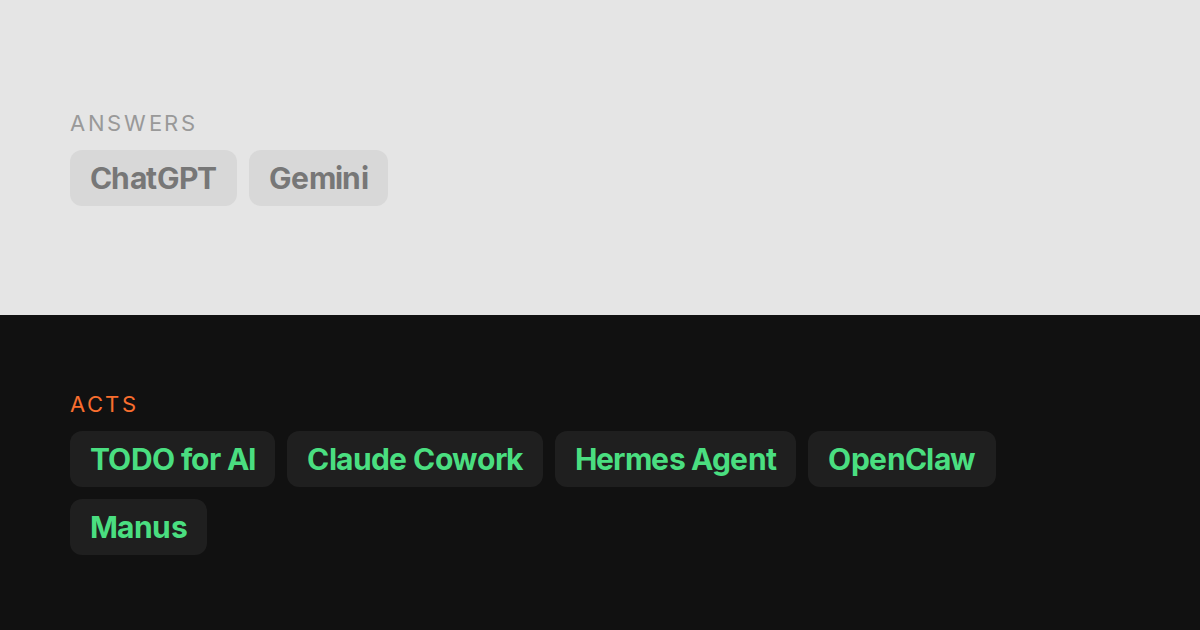
Every “best AI personal assistant” list ranks the same three chat apps on the same rubric: how well they write, how well they reason, how nice the app is. Useful if you want a better chat. Useless if the question is “which one will actually reply to the email, book the thing, fix the file, and tell me when it is done”.
This list uses that second question. Nine tools, one axis: does it answer, or does it act. First published 2026-09-21, updated 2026-11-02 with Copilot Cowork and Lindy and the autumn changes below; the prices that move are on the comparison pages.
Disclosure: TODO for AI is ours and it is on the list. It is placed by the same rule as the others and its weaknesses are stated.
Start with the job
- Chat, writing and research: Start with ChatGPT or Gemini.
- Work with local files or in Office: Compare Claude Cowork with Copilot Cowork based on where your files and accounts live.
- Run it on your own machine: Compare OpenClaw and Hermes Agent if you are willing to install and maintain the runtime.
- Share delegated tasks with a team: Consider TODO for AI if you need agents and people working from the same board.
The rule
An assistant acts when it can finish a task in your actual tools without you in the loop for every step. That needs three things: somewhere to run (a machine, not only a chat window), a way into your accounts (your logins, not a demo sandbox), and permission to do more than draft. Anything missing one of those is an answerer. Good answerers are worth $20 a month. They are a different product.
The list
1. TODO for AI
Acts. A to-do list where each item is picked up by an agent that runs on your own PC via a small bridge, in your already-logged-in Chrome via an extension, or on a cloud VM per account. Any model on one plan: Claude, GPT, Gemini, Grok, Ollama. Each tool can be set to allow, ask first or block.
Where it is weaker: setup is not zero (extension, optionally the bridge), browser items need Chrome or Firefox open, and the free tier is Sonnet and Haiku only. From free with $2 of usage; every model from $20. How it does the tasks.
2. Claude, with Cowork
Acts, in Anthropic’s sandbox. Cowork is Claude’s autonomous mode: give it a folder and an outcome, get back documents, spreadsheets, research, organised files. Scheduled runs happen in Anthropic’s cloud with your laptop closed. Claude in Chrome adds your real browser on Max and Team. Included on every paid plan from $20.
Where it is weaker: one vendor, runs on their machine and not yours, extends through MCP connectors rather than the CLI tools you already have. Best document output on this list. Full comparison.
3. Hermes Agent
Acts, if you run it. Nous Research’s open-source personal agent. MIT, self-hosted on a laptop or a $5 VPS, reachable from Telegram, Discord, Slack, WhatsApp or the terminal. Writes its own skills from experience, keeps memory across sessions, cron scheduler, any model through your own keys. Free; Nous Portal credit plans around $20 to $200.
Where it is weaker: you are the operator. Ports, updates, key management, sandbox choice. No hosted machine, no list. Full comparison.
4. OpenClaw
Acts, if you run it. The project Hermes migrates from. Same shape: MIT, self-hosted, chat-app front end, bring your own keys, runs on your hardware. Free.
Where it is weaker: same as Hermes, plus a published security advisory list that is honest about misconfigured instances. Pick Hermes unless you are already on OpenClaw. Full comparison.
5. ChatGPT, with agent mode
Mostly answers. The default assistant, with agent mode and connectors bolted on. Agent mode browses in OpenAI’s own browser, not your Chrome profile; accounts need a separate login or connector, and sessions can persist between runs. It cannot see your disk. Deep research is excellent. Free tier; Plus $20.
Where it is weaker: OpenAI only, every feature has its own cap, and the agent lives in their browser. Best answerer on the list. Full comparison.
6. Copilot Cowork
Acts, inside Microsoft 365. Microsoft 365 Copilot’s agent: describe a task and it does the work across Outlook, Teams, Word, Excel, PowerPoint and SharePoint, with your Microsoft 365 permissions, in Microsoft’s cloud. Models from Anthropic and OpenAI, picked by Microsoft. Needs a Copilot license (Copilot Business $18 per user per month yearly), then each task is metered in Copilot Credits.
Where it is weaker: everything outside Microsoft 365 (your other tools, your servers, your code) is out of reach, and you pay a license first and credits on top. Full comparison.
7. Lindy
Acts, along workflows you define. A no-code builder for AI teammates: email, CRM, meetings and support, built from triggers and steps, with a large catalogue of app integrations and computer use included. You pick the model. From $29.99 a month for 3,000 credits.
Where it is weaker: built for repeatable workflows rather than open-ended tasks, credits are an abstraction whose rate changes per plan, and it lives in its own cloud with no access to your machine. Full comparison.
8. Manus
Acts, in its cloud. A general agent that browses, researches and produces documents on its own VM. Credit based, from $20 for 4,000 credits, and heavy tasks burn through them.
Where it is weaker: no persistent list, local access only through its desktop app in folders you approve, models picked by Manus unless you bring your own key through Manus Flex. Full comparison.
9. Gemini
Answers. Strong on anything inside Google: Gmail, Docs, Calendar, Drive summaries and drafts. Agentic features are arriving surface by surface. Free; Google AI Pro $20.
Where it is weaker: acting is mostly limited to Google’s own apps, and nothing runs on your machine.
What changed this autumn (2026 updates)
- Copilot Cowork brought the “give it a task, it does the work” model into Microsoft 365, which puts it on this list for anyone whose company runs on Outlook and Teams.
- Claude Motion (October 8) lets Claude turn a report or a walkthrough into a short animation exported as MP4. It is Team and Enterprise only for now; the alternatives are here.
- The split held. Chat apps keep adding connectors, but the assistants that actually finish tasks are still the ones with a machine to run on and a way into your accounts.
The short version
| Runs on your machine | Your logged-in browser | Any model | A list, not a chat | From | |
|---|---|---|---|---|---|
| TODO for AI | Yes | Yes, extension | Yes | Yes | Free |
| Claude Cowork | No | Claude in Chrome (Max, Team) | Anthropic | No | $20 |
| Hermes Agent | Yes, self-hosted | Yes, self-configured | Yes, BYOK | No | Free |
| OpenClaw | Yes, self-hosted | Yes, self-configured | Yes, BYOK | No | Free |
| ChatGPT | No | Its own browser, connectors | OpenAI | No | Free |
| Copilot Cowork | No | Edge, preview | Anthropic, OpenAI | No | $18 + credits |
| Lindy | No | Computer use, its cloud | Yes, you pick | No | $29.99 |
| Manus | Approved folders, via desktop app | Browser Operator extension | Vendor, or BYOK via Flex | No | $20 |
| Gemini | No | Google apps | No | Free |
How to pick
- You want the best chat and do not need it to touch your accounts: ChatGPT or Claude.
- You live in Google Workspace: Gemini. You live in Microsoft 365: Copilot Cowork.
- You want the same process automated every time, without code: Lindy.
- You want autonomous document work and are happy inside Anthropic: Cowork.
- You want a free agent on your own box and enjoy running infrastructure: Hermes.
- You want an agent on your machine and in your browser, any model, without operating it, and a list that tracks what is done: TODO for AI.
The honest summary is that the field split this year. Chat assistants got better at answering. A second group, Cowork (both of them), Hermes, OpenClaw, Manus, Lindy and us, got better at acting. Buy from the group that matches your problem.