
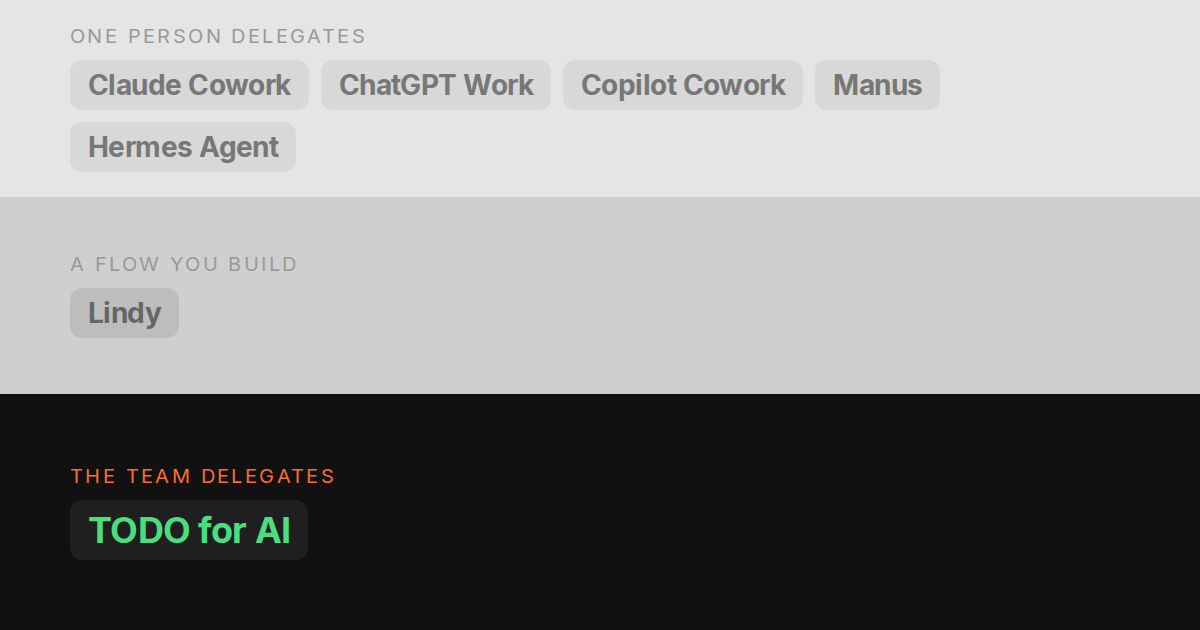
On 16 September 2026 Anthropic merged Cowork into Claude. There is no Cowork tab any more. You ask Claude for something and it decides whether that is an answer or a task to work through on its own. The merged version is rolling out to Pro and Max first, with Free and Team “later”.
That makes Cowork the default agent for everyone who pays for Claude, and it is a good one. Hand it a folder and an outcome and you get back spreadsheets with working formulas, decks and reports. Scheduled tasks run in Anthropic’s cloud, and Claude in Chrome reaches the sites you are logged in to.
The reason people look past it is usually not quality. It is one of these:
- More than one person needs to delegate. Cowork is built around one person’s sessions. Team plans can share a project with view or edit access, but there is no list where a colleague and the agent hold the same task and everyone sees who did what.
- They want more than one vendor’s models. Every step runs on Anthropic models.
- The work lives on their own machines. Cowork runs in Anthropic’s sandbox with the folders you grant it, not on your server or in your repo.
This post ranks the alternatives on those three. Disclosure: TODO for AI is ours. It is ranked first for teams and not for the other cases, and its limits are in its own section.
The short answer
| If you need | Pick |
|---|---|
| A team handing work to the AI on one shared list | TODO for AI |
| The same thing as Cowork, from OpenAI | ChatGPT Work |
| An agent inside Outlook, Teams and Office | Copilot Cowork |
| One-off research and decks, no setup | Manus |
| A fixed process that runs the same way every time | Lindy |
| Everything on your own server, for free | Hermes Agent |
1. TODO for AI: best if your team needs more than one person delegating
A to-do list for the business where each item is done by an agent. Everyone on the team adds work to the same board, and the card shows who asked for it, which agent ran it, and what came back. Instead of one person’s chat history, the team’s work is on a list anyone can check.
What it does that Cowork does not:
- One board for people and agents. A colleague can pick up an item the AI started, or the other way round. Filter the board by person. How the team board works.
- Every model on one plan. Claude, GPT, Gemini and Grok on the same plan, chosen per agent. You can have Claude do the work and GPT check it.
- Your own machines and browser. A small bridge gives the agent a shell on your PC or server, a Chrome extension works in your real logged-in browser, and a cloud VM keeps running when your laptop is closed.
- One budget for the team. Team seats are $30 standard and $120 premium, minimum two, and every seat’s money goes into one shared pool plus $50 on top. Claude Team is $25 and $125 per seat, each with its own usage windows.
Where it is weaker: Claude’s document output is better polished, and Cowork needs no setup. Here you install the extension, and the bridge if you want it on a machine. Browser tasks need your Chrome running. Permissions are per tool (allow, ask first, block), so it can stop before any stripe command but cannot tell a refund from a balance check. It is also a much smaller company than Anthropic.
Free to start with $2 of usage on Claude Sonnet. Starter is $20 for every model. Full comparison with Cowork.
2. ChatGPT Work: best like-for-like replacement
OpenAI’s answer to Cowork, launched on 9 July 2026. It replaced ChatGPT agent, which OpenAI has since retired. Work takes on long, multi-step tasks and hands back finished sheets, slides, docs and web apps. It runs scheduled or triggered tasks, and in the desktop app it can use your local files and apps through computer use.
Choose it if your team already lives in ChatGPT, or you prefer GPT’s output to Claude’s. The trade-offs mirror Cowork’s. It runs OpenAI models only. Its cloud browser keeps its own sessions, so you sign in there instead of using your Chrome. Team sharing means sharing a scheduled task that a colleague then copies for themselves. Usage “varies with the amount of work required” and draws on your plan’s allowance. Plus is $20 and Business is $25 per seat.
3. Copilot Cowork: best if your company runs on Microsoft 365
Microsoft’s agent, generally available since 16 June 2026. It drafts and sends mail, builds the Excel model and the deck, posts in Teams and files things in SharePoint, with the permissions and audit trail your IT admin already has. It runs on Anthropic models, the same family as Claude’s Cowork, with GPT in Microsoft’s Frontier preview.
It needs a Microsoft 365 Copilot license first ($18 per user per month on a yearly promotion that ends on 31 December 2026, $21 after), then usage in Copilot Credits at $0.01 each. It is the best choice inside Microsoft 365 and a weak one for anything outside it. Our Copilot Cowork alternatives post goes deeper.
4. Manus: best for one-off research with no setup
Give it a goal and it browses, researches and hands back a document or a deck. No install, and a Browser Operator extension if it needs your logged-in browser. There is no shell on your machine and you do not choose the model. Pricing is in credits, from $20 for 4,000, and a heavy task can use a lot of them. Good for the occasional project, less so as the place a team’s work lives. Comparison.
5. Lindy: best for repeatable processes
You build an “AI employee” from a trigger and steps: triage the inbox, update the CRM, prepare the meeting. Then it runs every time. Where Cowork is best at open-ended tasks, Lindy is best at the same task done the same way for the fiftieth time. From $30 for 3,000 credits, pooled across the workspace. Comparison.
6. Hermes Agent: best free, self-hosted option
An open-source agent you run on your own machine or VPS and talk to from Telegram, WhatsApp or Slack. Full shell, any model with your own API keys, persistent memory, and skills it writes itself. MIT licensed and free apart from tokens. You operate it: updates, keys, sandboxing, keeping it off the public internet. It suits a technical person, not a team of non-technical colleagues. Comparison.
Side by side
| Team shares the work | Models | Runs where | Your logged-in browser | From | |
|---|---|---|---|---|---|
| Claude (Cowork) | Projects shared on Team, tasks per person | Anthropic only | Anthropic’s sandbox | Claude in Chrome | $20 |
| TODO for AI | One board, people and agents | Every vendor | Your PC, your servers, a cloud VM | Chrome extension | Free, $20 |
| ChatGPT Work | Scheduled tasks can be shared as copies | OpenAI only | OpenAI’s cloud, desktop app | Cloud browser, own sessions | $20 |
| Copilot Cowork | Per user, inside Microsoft 365 | Microsoft picks | Microsoft’s cloud | Edge, preview | $18 + credits |
| Manus | Tasks shared one by one | Vendor picks | Their cloud | Browser Operator extension | $20 |
| Lindy | Shared workflows and credits | You pick | Their cloud | Computer use | $30 |
| Hermes Agent | Chat threads | Any, your keys | The box you host | Self-configured | Free + tokens |
The same comparison for more tools and six criteria is on the alternatives table.
How to choose
Is it one person delegating, or the business? If it is you and your own tasks, stay with Cowork unless one of the other two reasons applies. If three people need to hand work to the AI and see what happened, you need a shared list, and that is what TODO for AI is built for.
Does the work stay inside one vendor’s world? All-Microsoft means Copilot Cowork. All-ChatGPT means ChatGPT Work. Work spread across a CRM, a shop admin, an ad account and a server needs something that works in your browser and on your machines.
Is it the same task every week? Then build it once in Lindy.
Prices and plan details were checked on 2026-09-24. They change often, so the comparison pages are kept current.